


.svg)

CNC router with ball-screw drive, sold in four bed sizes
Use with Easel Pro →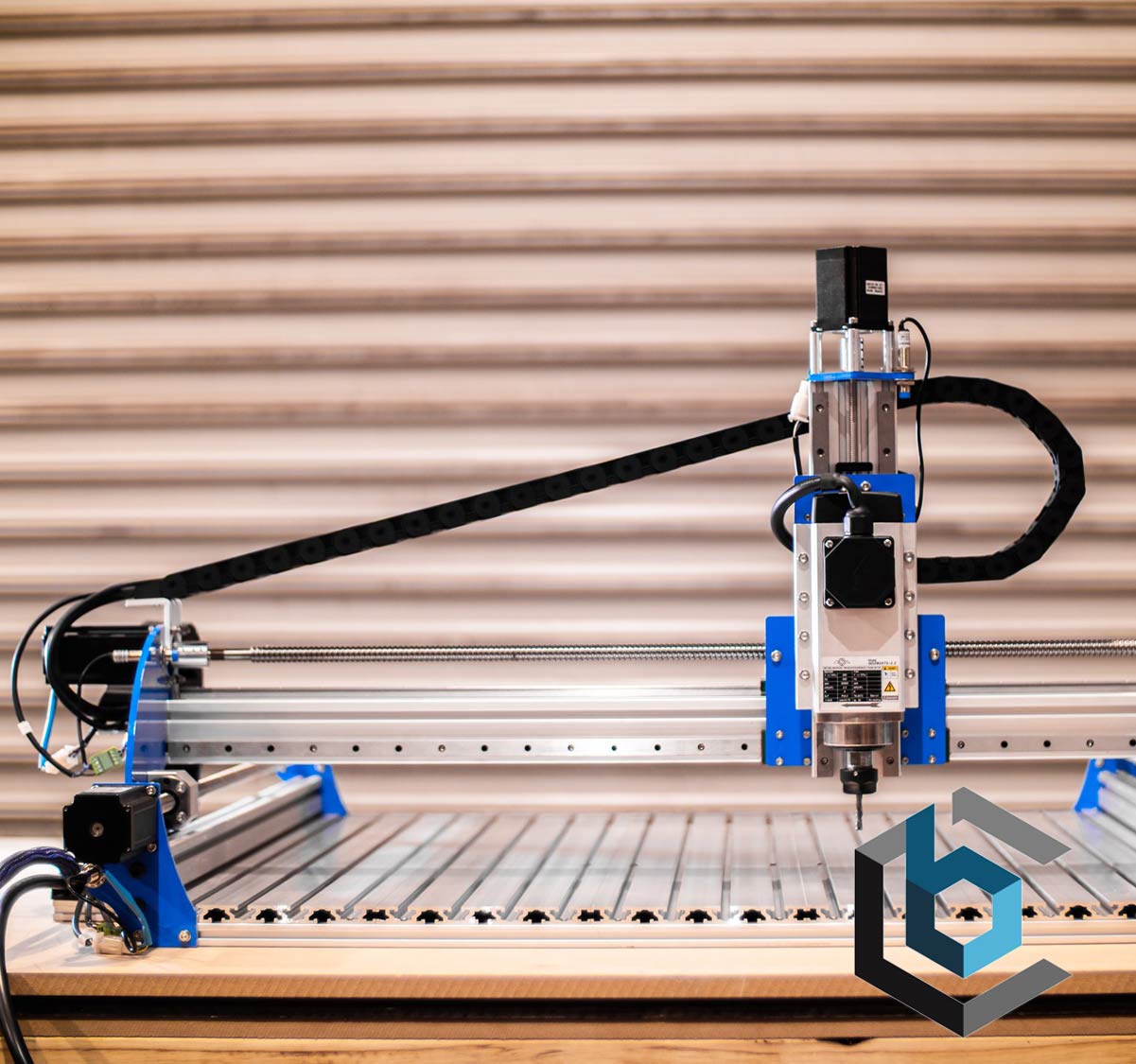
The Turbo is BlueCarve's ball-screw CNC router, sold in four rail sizes on one product page: 1000 x 1000mm rail with an 800 x 800mm cutting area (base), 1000 x 1500mm rail with an 800 x 1300mm cutting area (portrait), 1500 x 1000mm rail with a 1300 x 800mm cutting area (landscape), and 1500 x 1500mm rail with a 1300 x 1300mm cutting area (half sheet), all with 105mm height clearance. It ships with a 65mm spindle mount sized for a Makita RT0700/CX trimmer (a 1.5kw or 2.2kw air- or water-cooled spindle and VFD is an optional upgrade), 1.2Nm closed-loop steppers, and a 16mm ball screw drive (SFS1610, silent grade) on 15mm linear rails.
Every cut starts with one formula: Feed Rate = Spindle Speed (RPM) x Chip Load x Number of Cutting Edges (flutes). Chip load is the thickness of material each cutting edge removes in one revolution of the bit. This number comes from the manufacturer of the bit, which publishes a chip-load chart for each bit diameter and material. Look up your exact bit and material, start from the middle of the published range, and you have the third number in the formula. The chart below shows the recommended spindle speed for each material and bit type.
BlueCarve does not state a maximum RPM for the Turbo's spindle mount, since it ships bare for a Makita RT0700/CX trimmer or an optional 1.5kw/2.2kw upgrade spindle, so check the plate on whatever spindle you install. The Turbo's 16mm ball screw drive and 1.2Nm closed-loop steppers make it a stiffer machine than a belt-driven router, which supports a bit more depth per pass, but a truly rigid, powerful setup that can cut as deep as the bit is wide in one pass still needs the drive train, clamps, and gantry to all hold firm and enough mass to soak up vibration. Push too deep and the bit deflects and chatters, leaving scalloped edges, or it rubs instead of cutting and burns the material. Start shallow, especially on the larger 1500mm-rail sizes where mid-span deflection is more likely. The fastest way to dial in a cut is to see what has already worked for other people.
Worked example for feed rate: 1/8in (3.175mm) two-flute solid carbide end mill in hard wood. The chart says 16,000 RPM. BlueCarve does not state a maximum RPM for the spindle you install on the Turbo, so keep the example generic and check the plate on your own spindle. With the bit maker's 0.025mm per tooth (0.0010 in): 16,000 x 0.025 x 2 = 800 mm/min (31 in/min) feed. For depth per pass, start shallow and check Community Cut Settings in Easel for what works on this machine. If the cut sounds strained, reduce the depth, not the feed. Slowing the feed below the chip load makes the bit rub instead of cut.
Community Cut Settings shows the spindle speed, feed rate, and depth per pass other makers actually run for your machine, material, and bit.
The Turbo runs FluidNC on an ESP32 32-bit controller with a FluidTouch 7in interface, not GRBL. Easel's real-time carving works with GRBL controllers over USB, so this machine's live jog-and-carve connection needs verification. It is selectable in Easel's machine menu as BlueCarve Turbo 1000x1000, BlueCarve Turbo 1000x1500, BlueCarve Turbo 1500x1000, or BlueCarve Turbo 1500x1500 depending on which rail size you bought, which sizes the canvas to that size's cutting area. A human should confirm how Easel actually communicates with this FluidNC controller before this page publishes.
Try Easel Free →
Create your free Easel account and connect your machine in minutes.
Easel Free Trial →