


.svg)

Final Sale: industrial-grade CNC with ball screws and linear rails
Use with Easel Pro →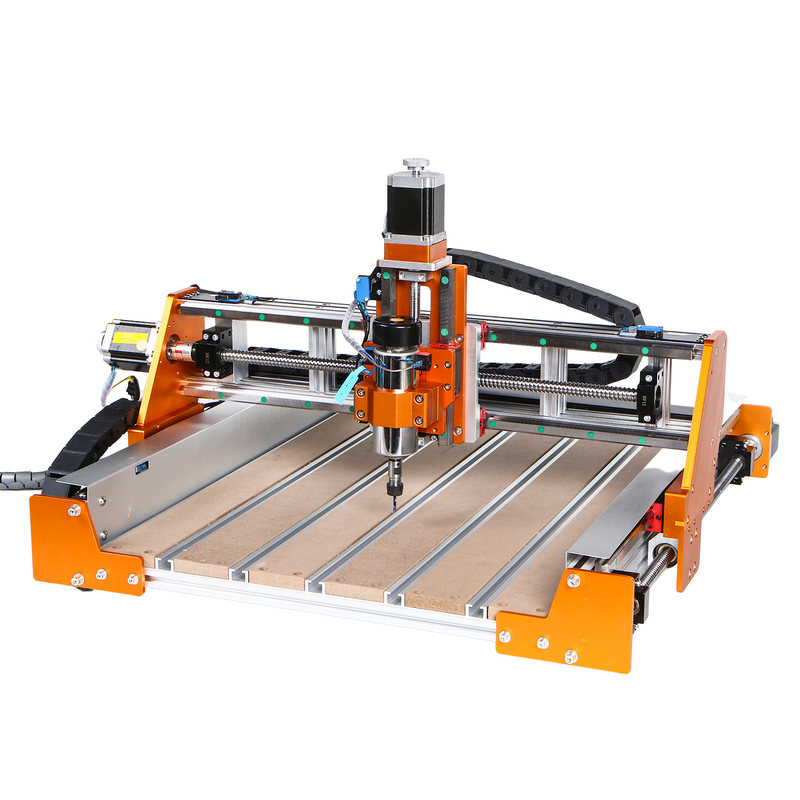
Final Sale: FoxAlien is retiring this model, but it remains fully supported in Easel. The Vasto is an industrial-grade CNC with a 400 x 400 x 100 mm cutting area, dual HG-15 linear rails with 16mm (XY) and 12mm (Z) ball screws, NEMA23 stepper motors with independent DM542 drivers, a 400W spindle, and open-source GRBL-based control. It assembles in 30-45 minutes.
Every cut starts with one formula: Feed Rate = Spindle Speed (RPM) x Chip Load x Number of Cutting Edges (flutes). Chip load is the thickness of material each cutting edge removes in one revolution of the bit. This number comes from the manufacturer of the bit, which publishes a chip-load chart for each bit diameter and material. Look up your exact bit and material, start from the middle of the published range, and you have the third number in the formula. The chart below shows the recommended spindle speed for each material and bit type.
The Vasto ships with a 400W spindle and also accepts 65mm trim routers (Makita RT0700C, DeWalt DWP611). FoxAlien doesn't publish an RPM for the stock spindle, so treat the chart's spindle-speed column as a reference rather than a dial setting: read the actual number off your spindle or router and keep the feed rate as your main control. Depth per pass is where the machine itself matters. The Vasto runs dual HG-15 linear rails with 16mm ball screws on X/Y and a 12mm ball screw on Z, a genuinely rigid drive train with very little backlash, so it can take deeper passes than a belt-and-wheel machine before the bit deflects or chatters. Spindle power is still the practical limit though: push too deep and the spindle bogs down (you'll hear the RPM drop) rather than the frame flexing. The fastest way to dial in a cut is to see what has already worked for other people.
Worked example for feed rate: 1/8in (3.175mm) two-flute solid carbide end mill in hard wood. FoxAlien doesn't publish a spindle RPM, so this example uses the reference chart speed of 16,000 RPM; use your spindle's actual top speed if it is lower. With the bit maker's chip load of 0.025mm per tooth (0.0010 in): 16,000 x 0.025 x 2 = 800 mm/min (31 in/min) feed. The Vasto's ball-screw and linear-rail drive is rigid, so depth per pass is limited more by spindle power than by frame flex; start with the depths in the Cut Settings guide above and check Community Cut Settings in Easel for what's worked on this machine. If the spindle audibly slows in the cut, reduce the depth, not the feed. Slowing the feed below the chip load makes the bit rub instead of cut.
Community Cut Settings shows the spindle speed, feed rate, and depth per pass other makers actually run for your machine, material, and bit.
FoxAlien is retiring the Vasto, but it stays fully supported in Easel. It connects through the free Easel Driver: install the driver on your Mac or Windows computer, plug the machine in over USB, and Easel talks to it in real time. You design in the browser, Easel generates the toolpaths, and the Carve button walks you through homing, zeroing, and starting the cut. Pick Vasto from Easel's machine menu during setup and the canvas is sized to the machine's 400 x 400 x 100 mm cutting area, so your preview matches what the machine can actually cut.
Try Easel Free →
Create your free Easel account and connect your machine in minutes.
Easel Free Trial →